
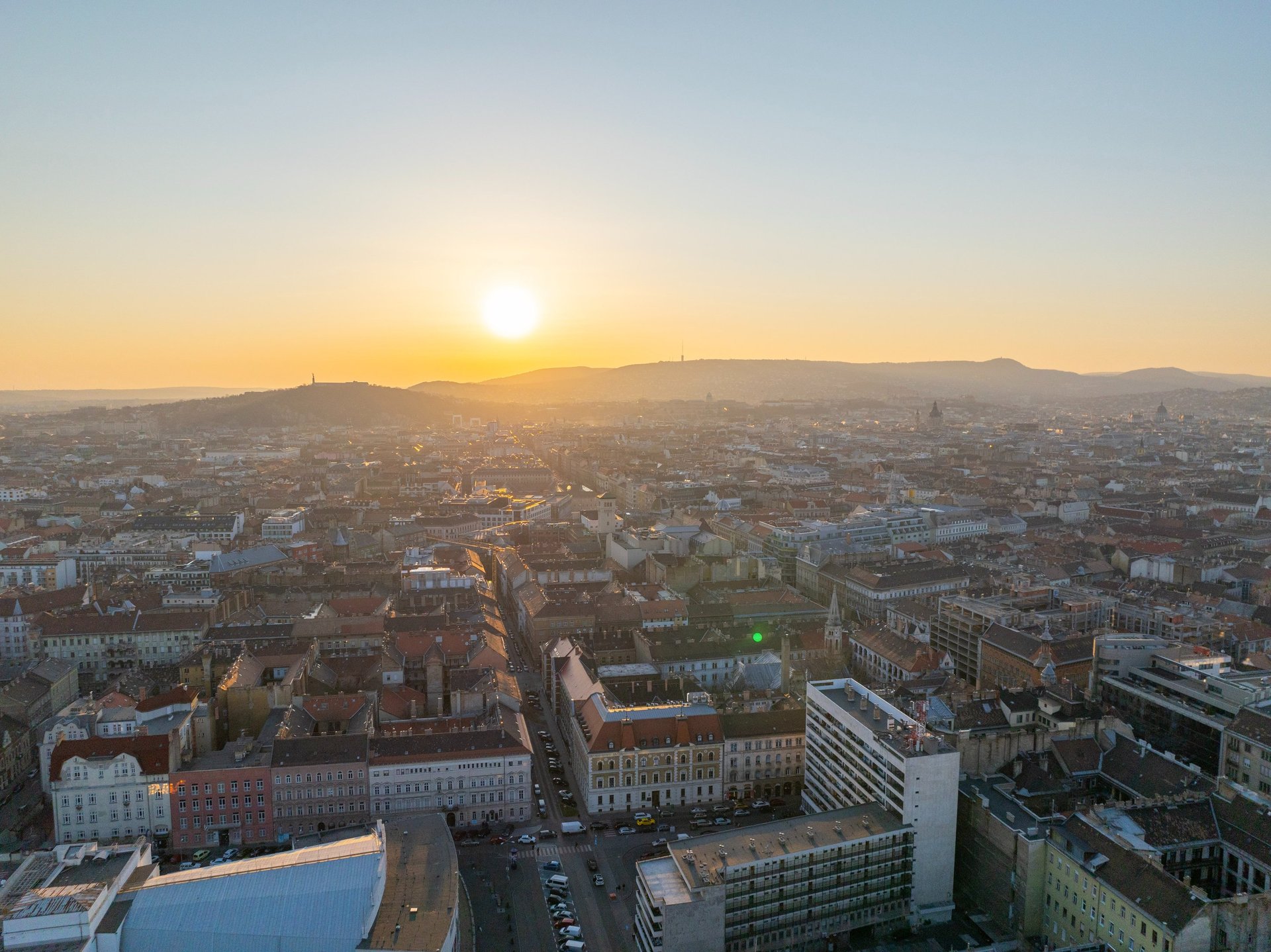
5 Drone Tips
Creative & Safety Tips for Anyone wanting to get into Professional Drone Work. What Filters should you buy? How to fly Abroad and much more!
DRONEDRONE TIPS
Introduction
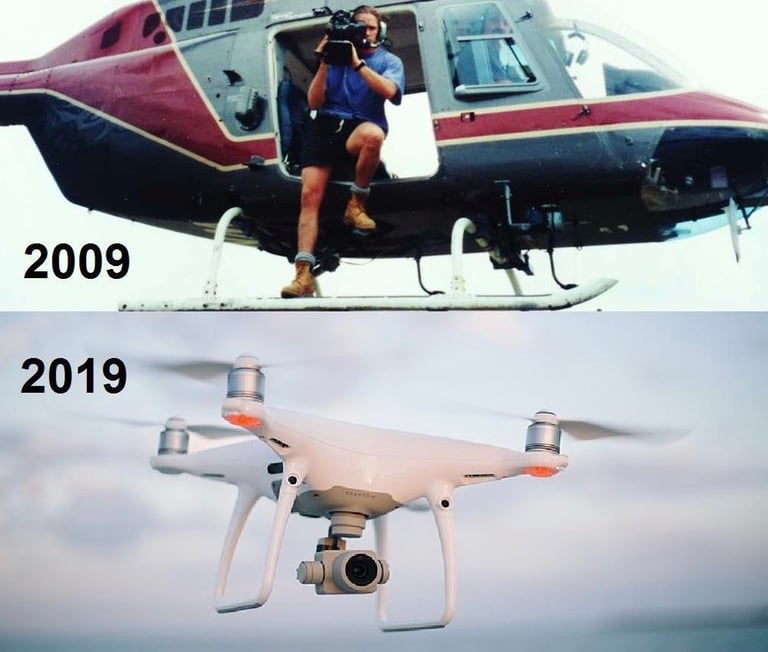
Drones are still very much a new and exciting way for capturing footage in a way that until a decade ago was only possible by helicopter. It can be quite scary to think that in such a short period of time both the cameraman and helicopter pilot were replaced.
But if not carefully used they can cause a great deal of problems and a great deal of accidents. The video linked below is a funny DJI Parody showing the problems of using a drone indoors at a wedding.
1. Safety first
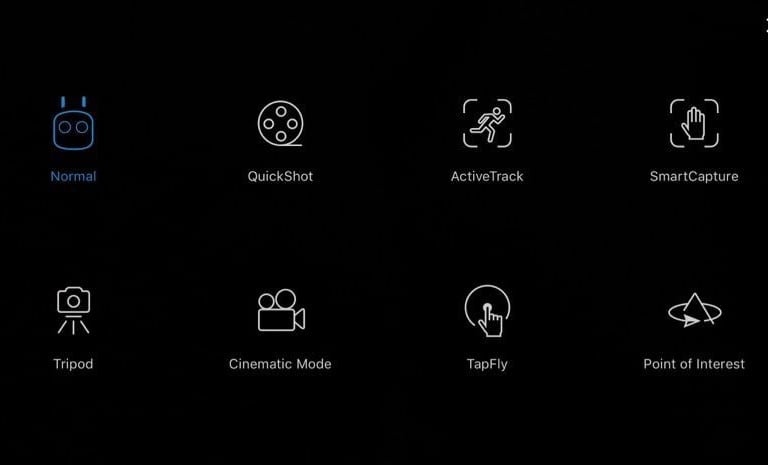
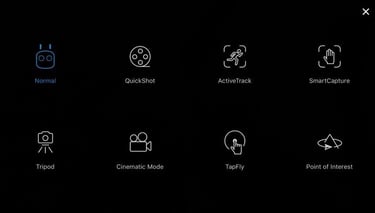
The Quick Shot modes which DJI offer are amazing and allow for many possibilities for unique perspectives of locations to be captured. However in these modes obstacle avoidance sensors are limited so make sure you are in a clear area. For most situations it's better to manually fly the drone to maintain complete control. This also applies to the sport mode on DJI drones which on the Mavic 2 Pro allows the drone to fly up to 45 mph (72 km/h).
The return to home option I feel should only be used as a last resort option. It is possible that the drone can auto hover up in this mode and will not detect obstacles such as trees. Allow for enough battery to fly back to safety land to avoid this. The drone will also auto land if low on battery and if there is a lake nearby you are in tough luck. You should also take off in a none confined space and always keep line of sight for many reasons with one of the main ones being in case of signal interference. It is illegal to fly over 400 feet or 120 metres (unless special permissions are received) to keep the drone away from flight paths.
Drone Batteries
Drones batteries can be very expensive and sometimes be over £100 each, so it is important they are properly maintained for safety and to get the most life out of them. It is best to store batteries at 40 to 60% and DJI batteries automatically discharge after use for safety which is important to remember if you don't use your drone for a few weeks. It is important moisture doesn't get into the batteries as well as water. The idea room temperature for charging drone batteries is between 22°C (71°F) to 28°C (82°F).
Weather
Checking the weather before every flight is critical for the safety of the aircraft. Flight should not take place when raining and under strong wind. Certain types of fog and clouds can be problematic as it can limit your visual line of sight. The best way to check the weather for your drone is to use the Met Office app which is available for both Android and IOS.
https://www.metoffice.gov.uk/about-us/what/met-office-weather-app
2. ND Filters
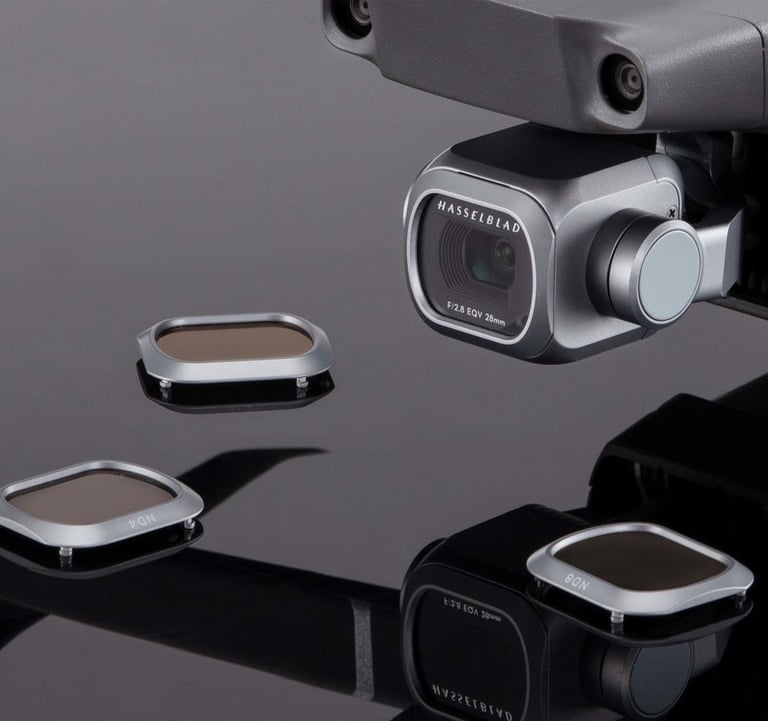
An often overlooked accessory for new drone owners are ND Filters, which are important for the same reason as they are for normal video, for shooting at a shutter speed which is double the frame rate so for 25fps the shutter speed would be 1/50. The vast majority of drone's do not have adjustable apertures (other than the Mavic 2 Pro and Inspire series with DJI) making them important. The official DJI ND filters can be found used for every DJI drone for a great price. Even with drones such as the Mavic 2 Pro they will have a sharpness aperture which for the Mavic 2 Pro is f4 which makes the filters still important.
3. Having the correct License and Permission
This is very important but it depends on the type of drone filming you want to undertake which license is best suited to you.
Getting into Drone filming is quite difficult and there is much to learn, so I have tried to make this blog simple and to the point. The first step was to get certified to be seen as a professional to help stay clear of legal problems.
During lockdown I picked my Flyer ID and Operator ID which allowed me to fly your drone in areas far away from people. If you wish to fly in more urban areas near towns and cities you need the A2 or GVC Drone Course.
I got my A2 Drone certification from AV8 Flight School . The process was reasonably straight forward and I managed to pass the online exam.
I have since completed my GVC with UAV HUB. However, for flying in Europe you need a different qualification. All these training schools have great customer service and are easy to use.
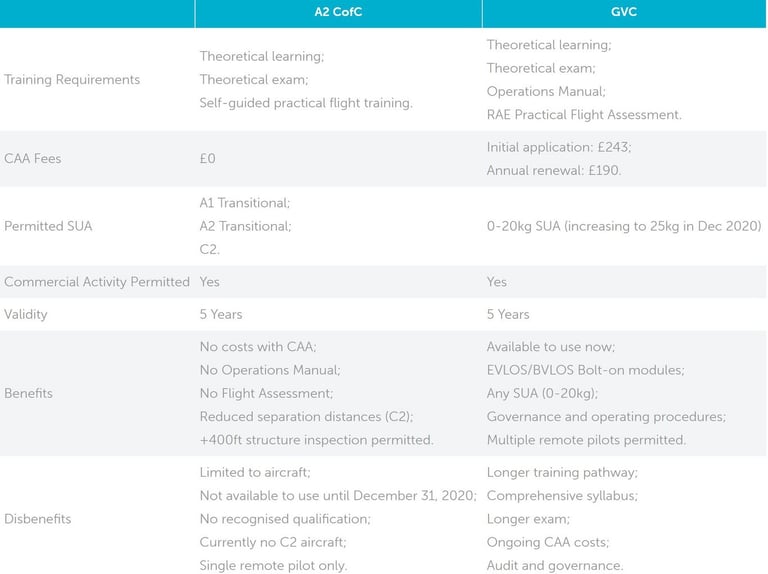
I have included a table created by https://www.heliguy.com/blog/2020/02/24/uk-drone-laws-a2-cofc-vs-gvc/ which shows a quick comparison between the two courses of the pros and cons. Overall if you are flying smaller drones the A2 CofC could be the better choice.
Some further notes are that you need to have the relevant insurance and complete risk assessments before commercial flights. For the GVC course as well flight logs need to be maintained. Landowner permission should also be acquired.
I have used AV8 before and have had a great experience. You can use the link below for a discount.
https://www.av8-group.com/referrals
AV8-1328
4. Camera settings, Frame Rates and Picture Profiles
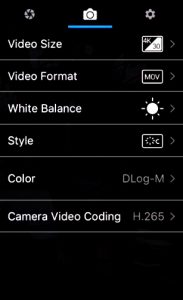
When buying a drone I recommend getting a drone that can record in 4k as even if you are downscaling to 1080p it allows for better quality 1080 and for better digital noise performance. White Balance should be set to manual as auto can cause shifting problems. For film work that needs to be real time 24fps is the best frame rate but 30fps should be considered as in post-production the footage can be slowed down for extra smoothness. 60 fps is a good frame rate for slow motion.
Mainly drones user smaller sensors that traditional video and still cameras so using a low ISO is even more important to avoid noise.
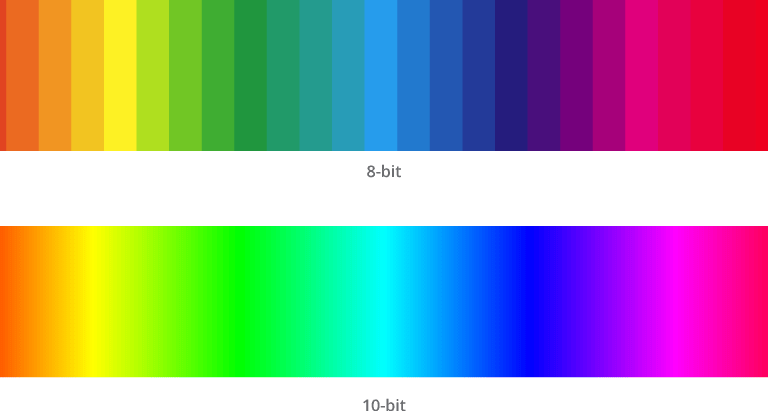
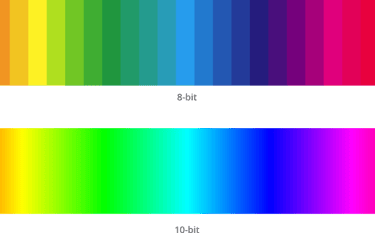
The Mavic 2 Pro and Inspire series of drones are great drones as they have LOG recording modes. Shooting in LOG on the Mavic 2 unlocks 14 stops of dynamic range allowing the highlights and shadows to be captured. if your drone does not have a log profile try to use a profile with a low contrast as this helps with dynamic range. If the footage requires a heavy colour grade a 10 bit codec is preferred as it provides more control for sunsets and high contrast scenes.10 bit can display 1.07 billion colours, while an 8-bit photo only displays 16.7 million.
5. Using the right tool for the job
Overall the goal should be to use the right piece of equipment that best helps to serve the story and the particular mood you are wanting to convey.
As much as drones are amazing tools, they aren't the best tool for capturing close ups of people due to safety, unless you are using the Inspire 2 which can actually be used as a ground camera. Drone shots and gimbal shots can often be overused in videos so it is important to consider what is the right tool.

5 Drone Tips (YouTube)
Contact Information contact@benillingsworth.com Sheffield